DMR Code Plug Programming
Programming a DMR radio doesn't have to be difficult. While modern DMR radios include many settings and features, only a small number are needed to get started on the local BMH Repeater.
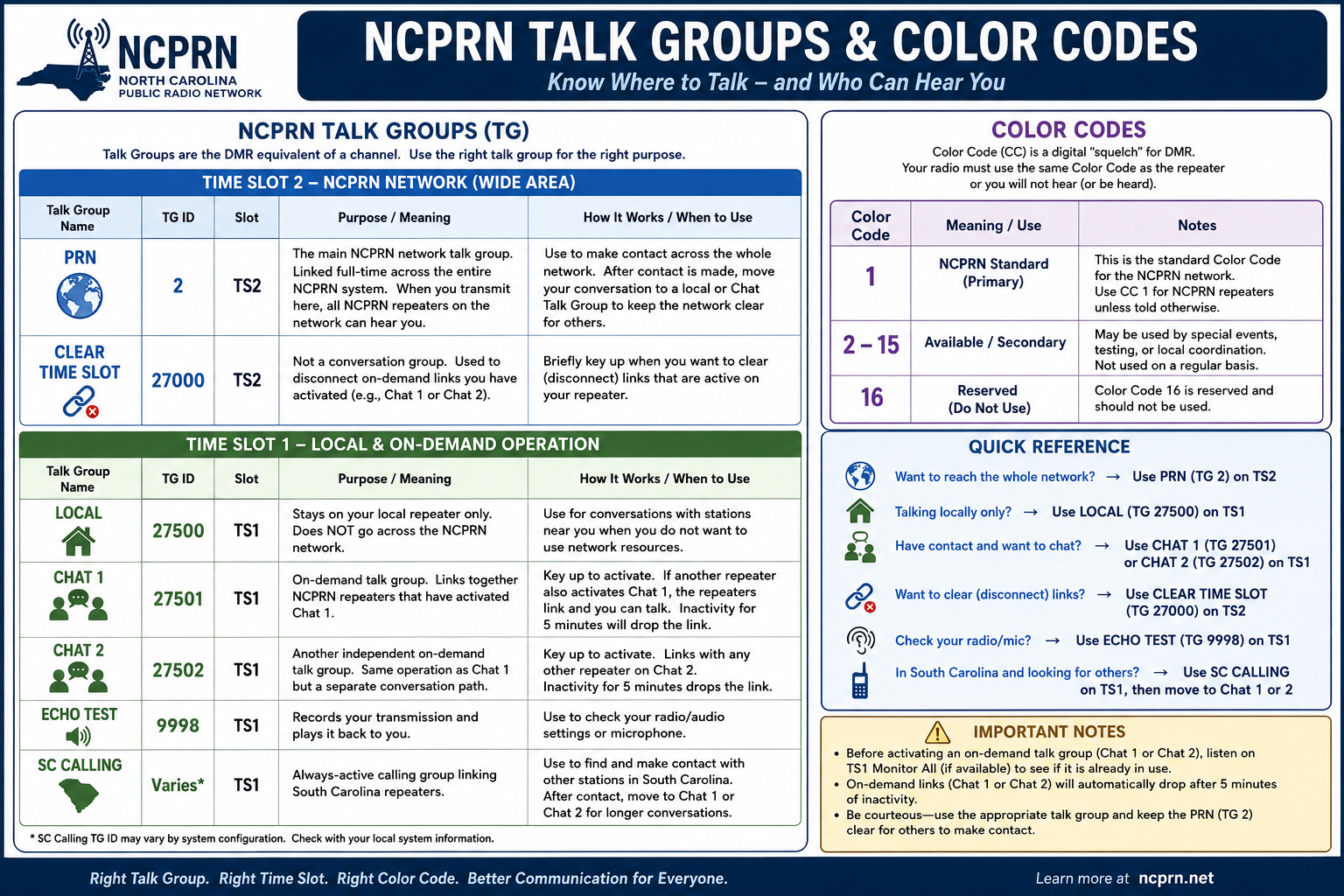
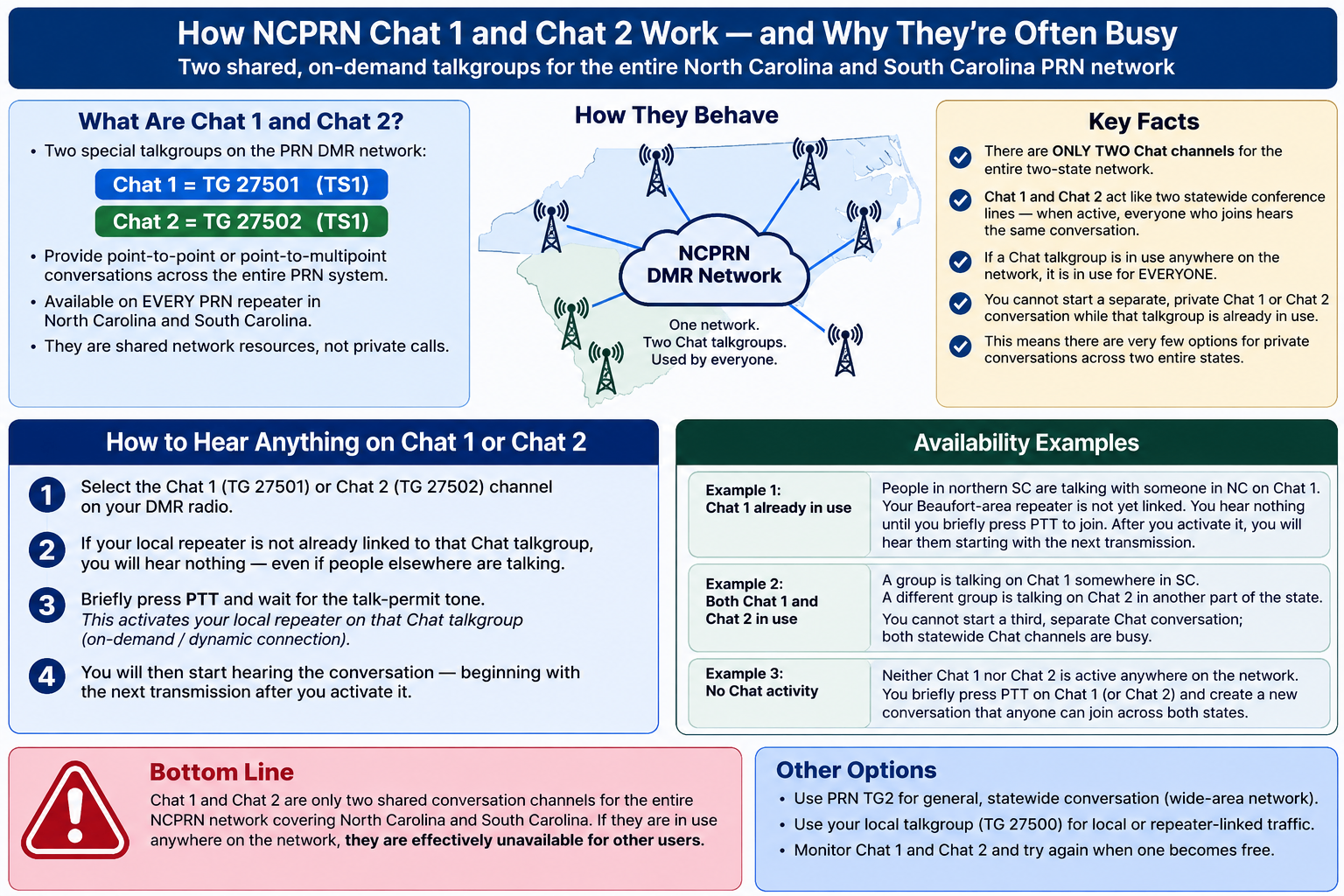
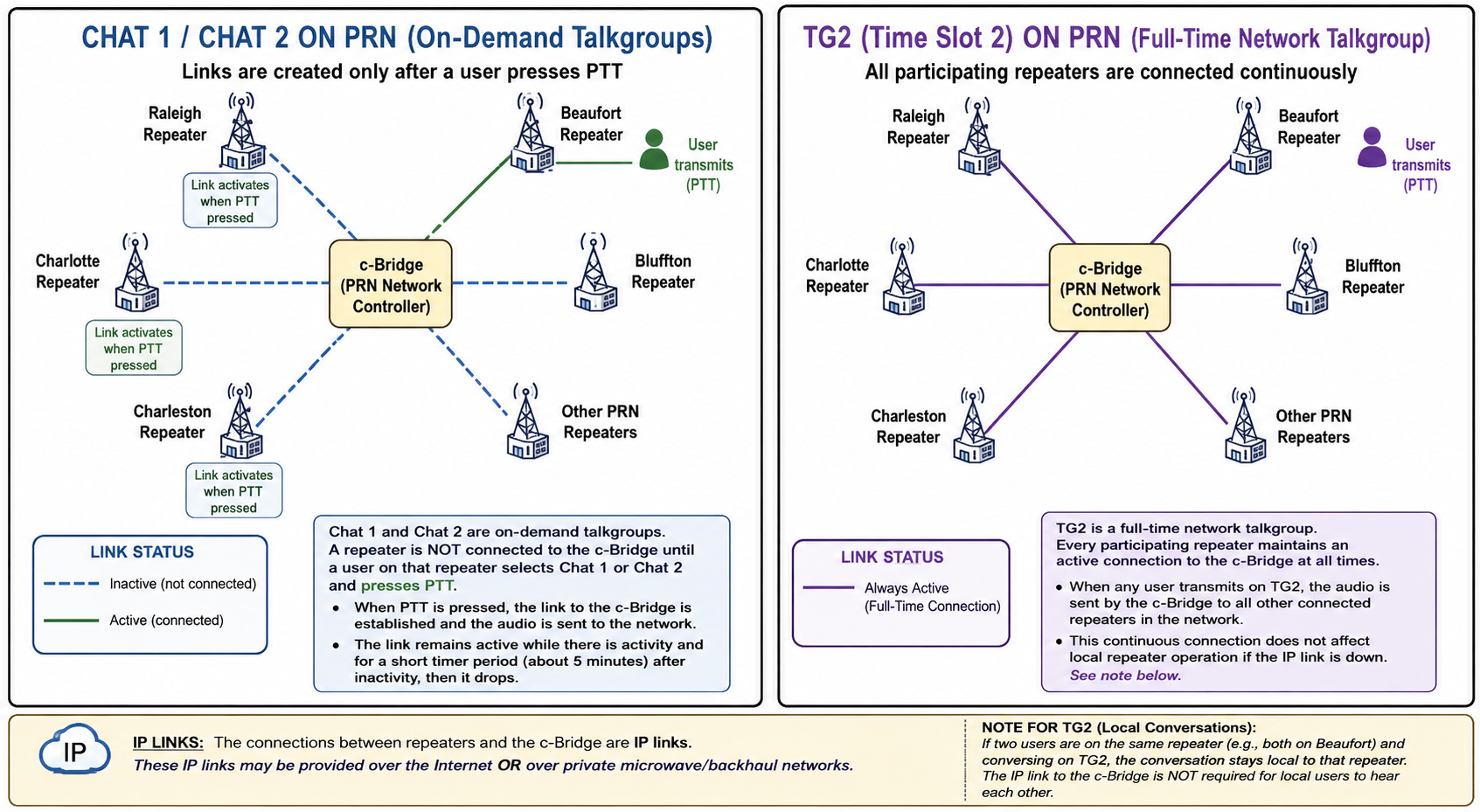
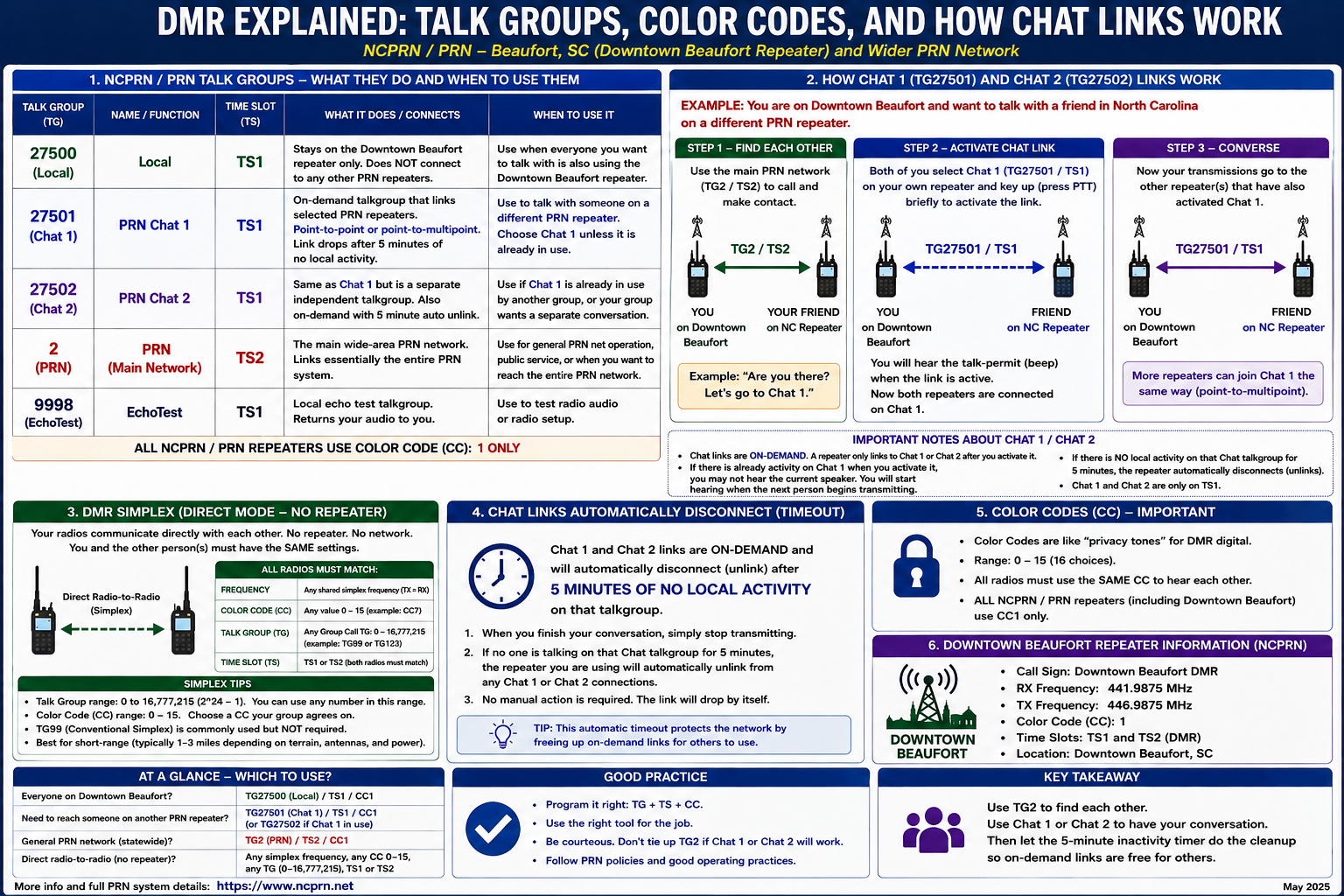
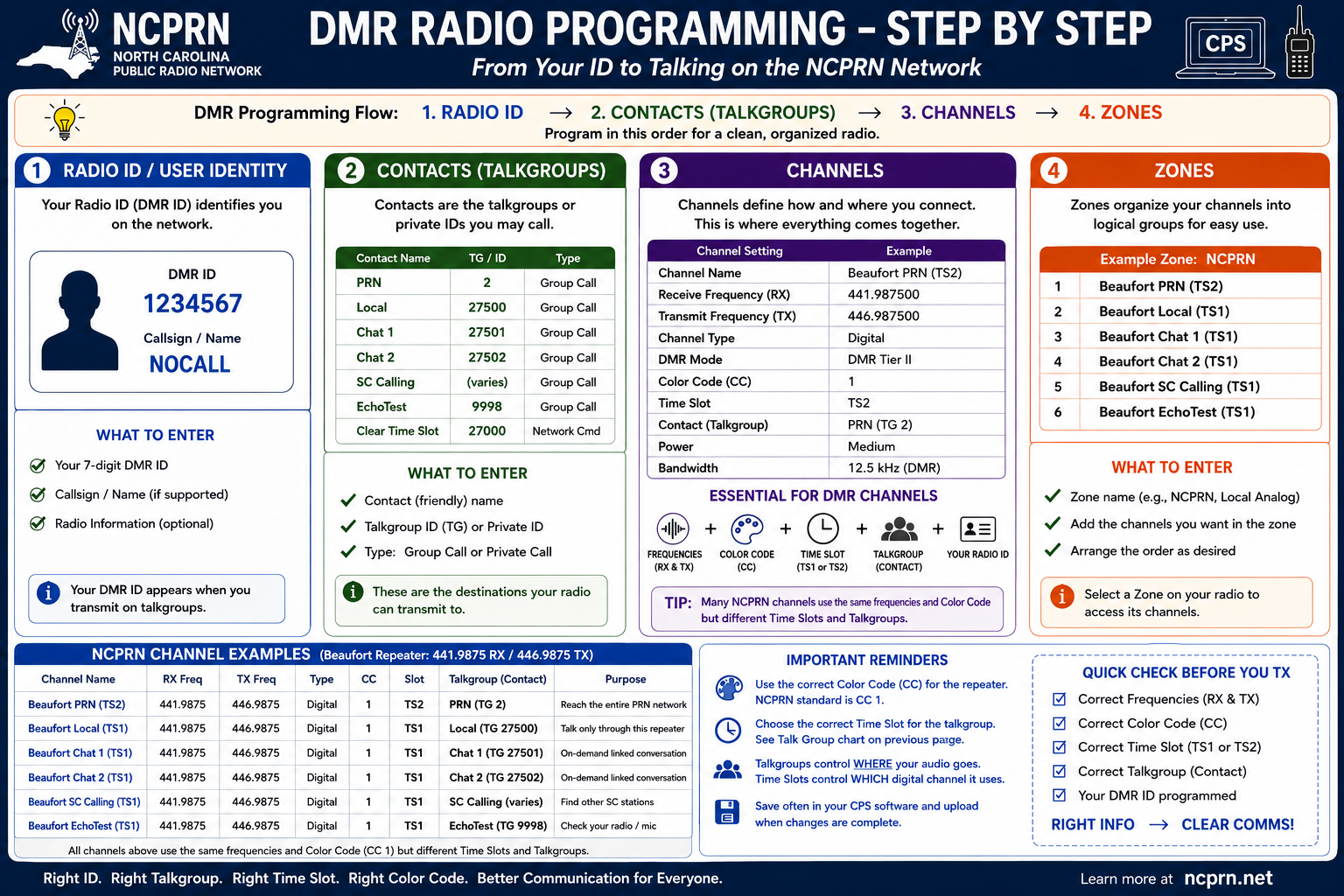
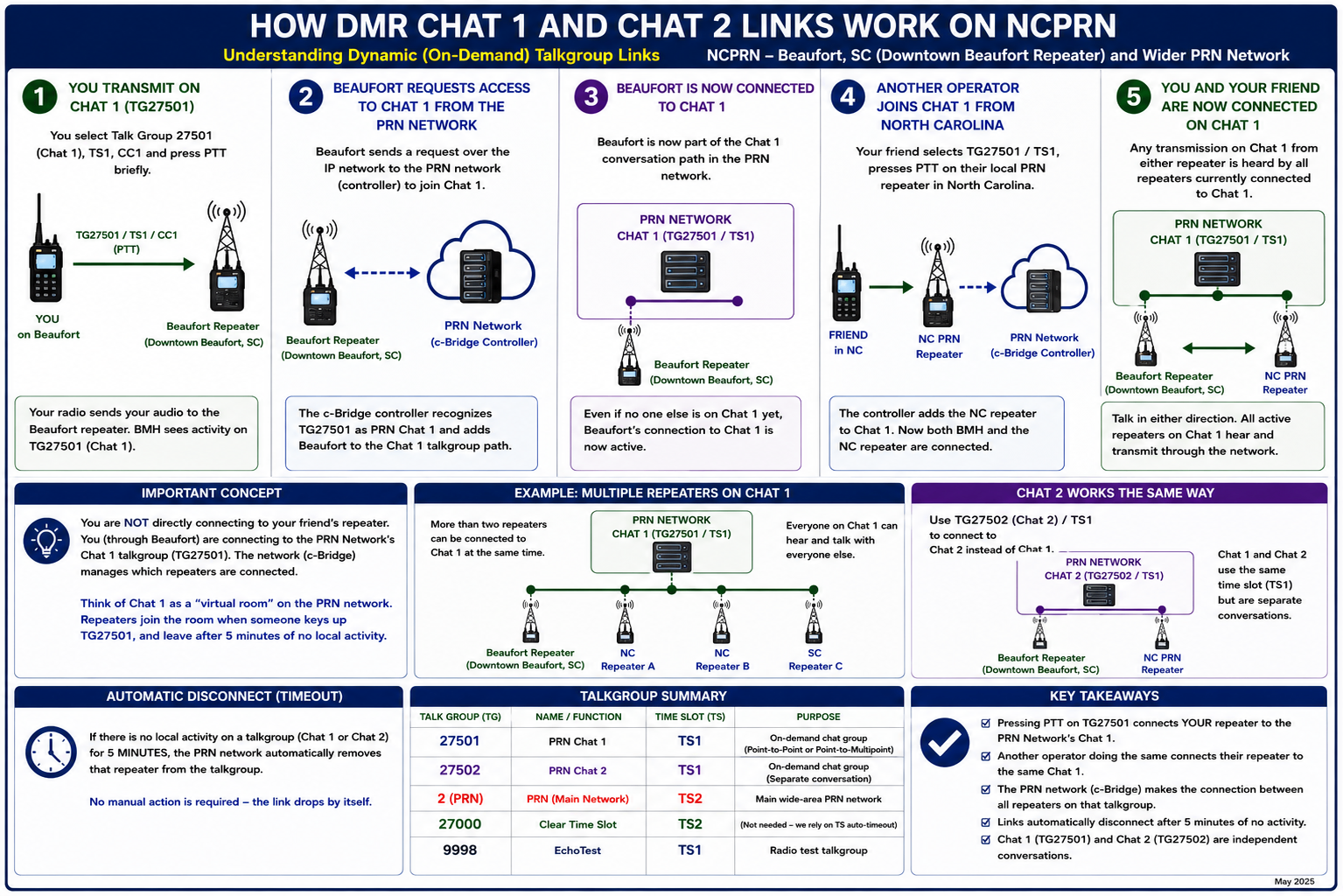
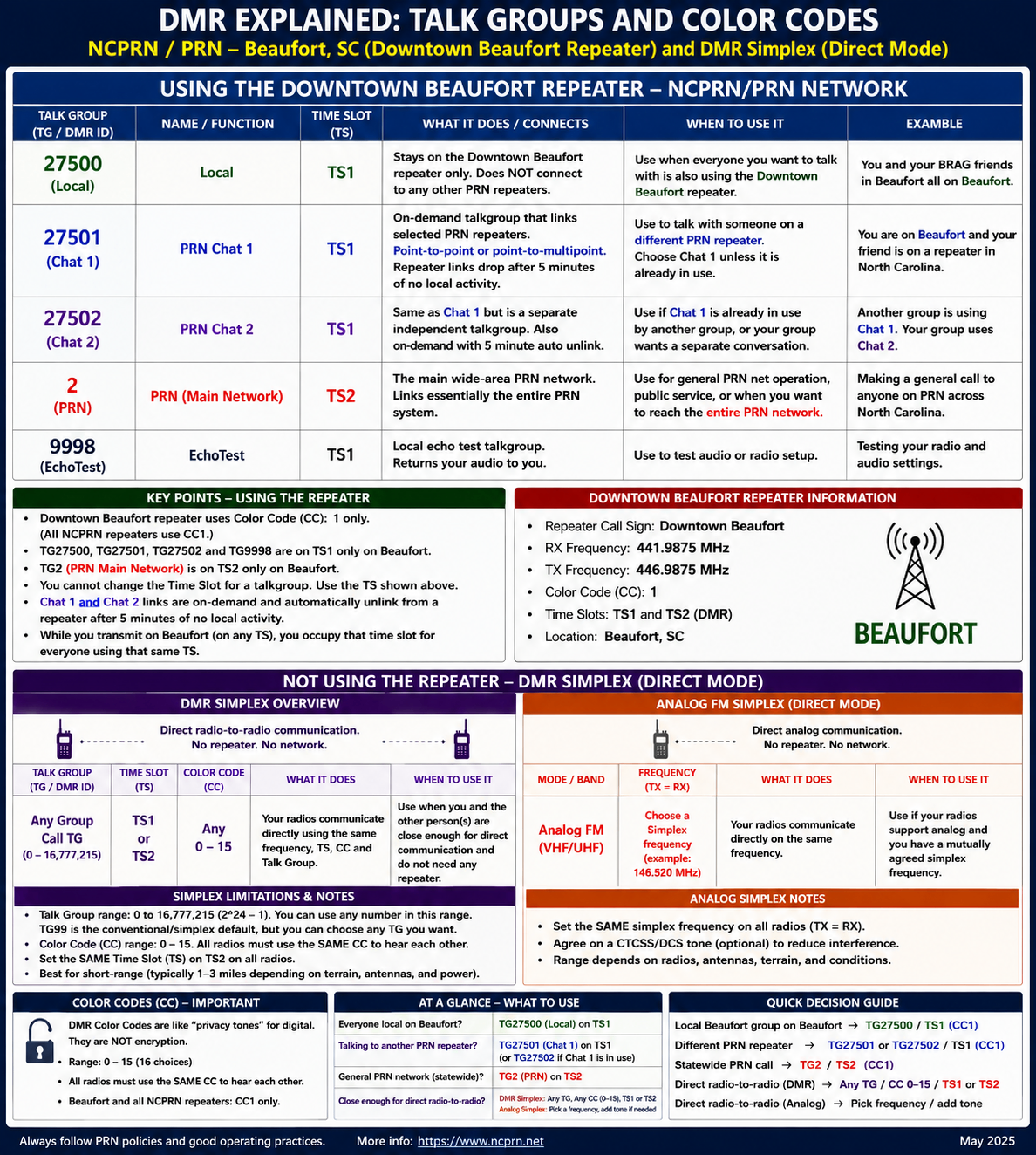
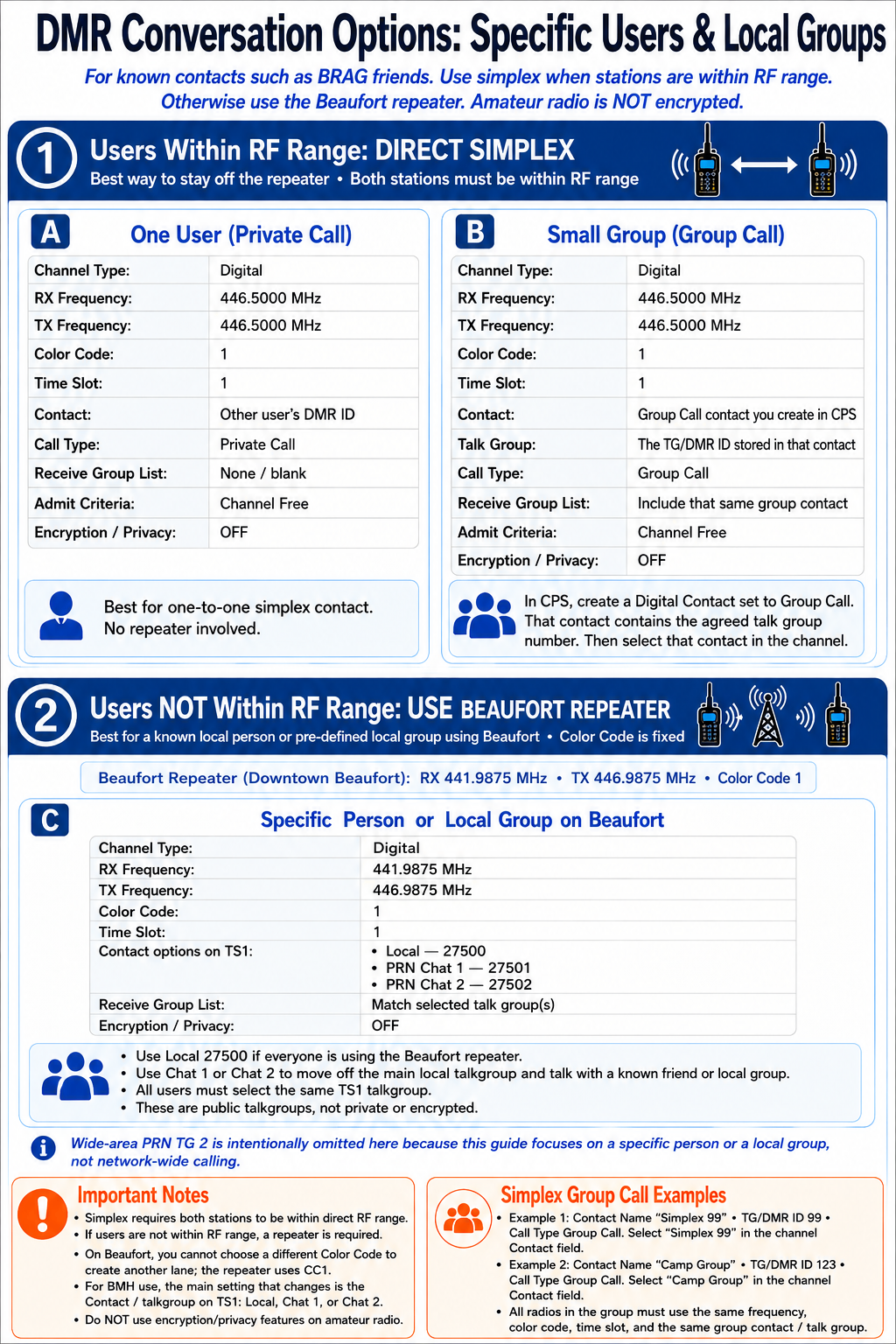
Below are several graphics explaining different aspects of DMR. There is quite a bit of overlap and repetition among them, so don’t be concerned if some of the information seems redundant. If you understand the concepts presented in these charts, you will have a solid understanding of everything you need to know about how DMR works.
Note: This guide assumes you already have a DMR ID and are familiar with installing and using your radio's programming software (CPS).
Necessary DMR Programming Information
To program a DMR repeater channel, you will generally need the following information:
- Channel Name (A friendly name you choose)
- Receive (RX) Frequency (441.9875 for BMH)
- Transmit (TX) Frequency (446.9875 for BMH)
- Channel Type (Digital for DMR)
- DMR Mode (Repeater or Simplex)
- Contact / Talkgroup (See the Talkgroup information on this page)
- Color Code (See the Color Code information on this page)
- Time Slot (TS1 or TS2)
- Transmit Power (Select as appropriate for your location)
The information shown on this page provides the settings needed to access the BMH DMR Repeater. Keep in mind that frequencies, Color Codes, Time Slots, and available Talkgroups can vary from one DMR repeater or network to another.
The BMH DMR Repeater is part of the NCPRN (North Carolina Public Radio Network). The information here summarizes the NCPRN Talkgroups, Time Slots, and Color Code information most useful when programming your radio.
For complete and current system information, refer to the NCPRN website.
Disclaimer: This independent educational material is not affiliated with, sponsored by, or endorsed by the developers, manufacturers, standards organizations, government agencies, or network operators associated with the technologies and services described.
DMR Explained (Click to Expand)